Incidents Management
The Incidents page provides comprehensive management of all incidents synchronized between Ampliserv and Jira, allowing you to track, filter, and analyze issues across your applications.
Accessing Incidents
- Login to Ampliserv dashboard
- Navigate to "Incidents" from the main menu
- View all incidents synchronized with Jira
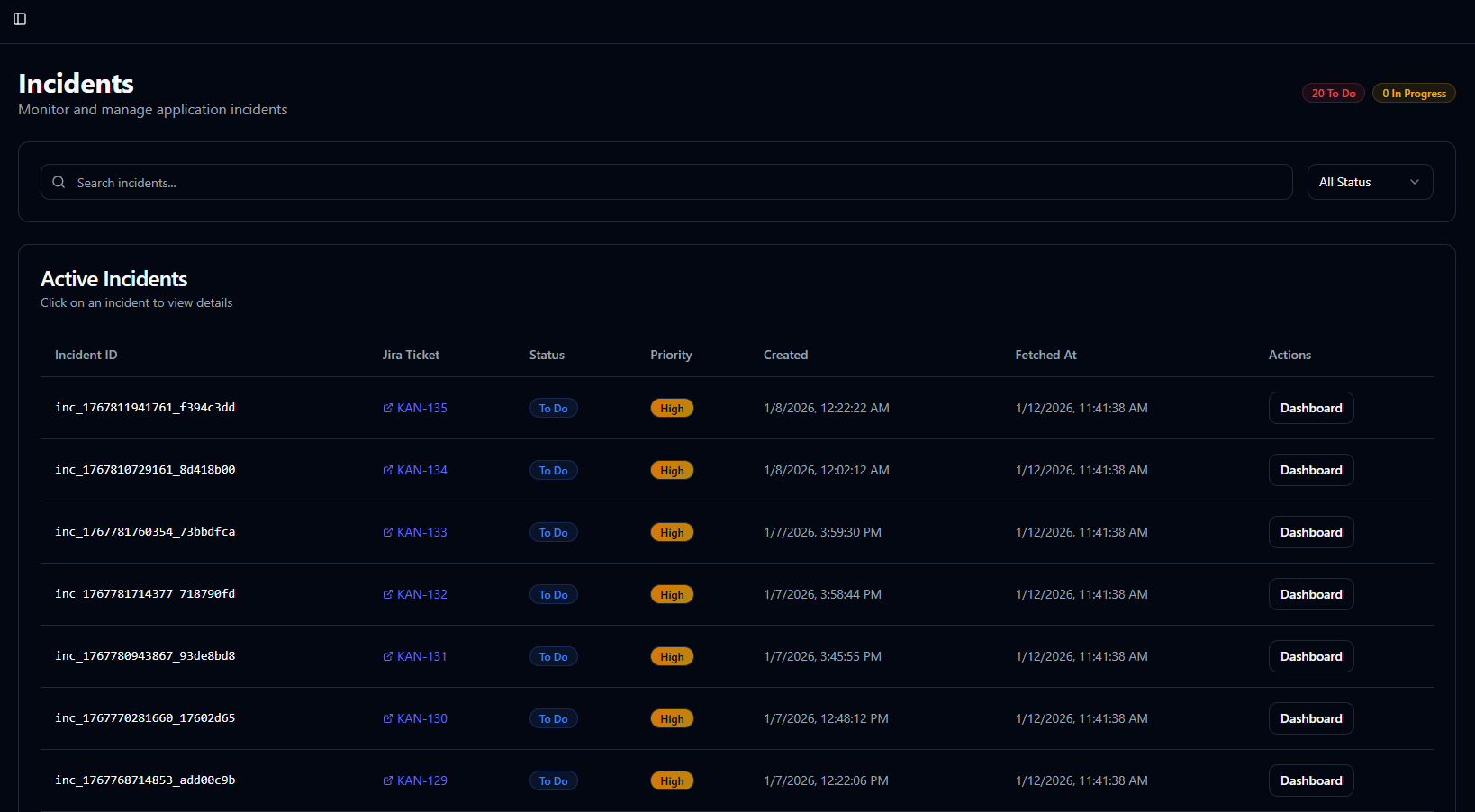
Page Layout
1. Header Section
- Incident count badges: To Do & In Progress counts
- Real-time sync status: Last sync timestamp
- Quick filters: Status and priority indicators
2. Filter Controls
- Search bar: Search by incident ID, title, or description
- Status filter: Dropdown for Jira statuses
- Priority filter: Critical/High/Medium/Low (coming soon)
3. Incidents Table
Interactive table with the following columns:
| Column | Description | Sortable |
|---|---|---|
| Incident ID | Unique Ampliserv incident identifier | Yes |
| Jira Ticket | Linked Jira ticket with external link | Yes |
| Status | Current Jira status (color-coded) | Yes |
| Priority | Incident priority level | Yes |
| Created | Incident creation timestamp | Yes |
| Fetched At | Last sync time with Jira | Yes |
| Actions | Quick actions (Dashboard view) | No |
Incident Statuses
Jira Status Mapping
| Status | Badge Color | Description |
|---|---|---|
| To Do | 🔵 Blue | New incident, not started |
| In Progress | 🟡 Yellow | Actively being investigated |
| In Review | 🟣 Purple | Under review or testing |
| Done | 🟢 Green | Resolved and closed |
Priority Levels
| Priority | Color | Response SLA |
|---|---|---|
| Critical | 🔴 Red | 15 minutes |
| High | 🟠 Orange | 1 hour |
| Medium | 🔵 Blue | 4 hours |
| Low | ⚪ Gray | 24 hours |
Working with Incidents
Viewing Incident Details
- Click any row in the incidents table
- Navigate to detailed view with full information
- Access Jira ticket via external link
Searching Incidents
- Text search: Searches incident ID and Jira key
- Partial matches: Shows all containing matches
- Case-insensitive: Automatically handles case